
Every gig, call and flight in one place.
Crews Director is the scheduling system production companies use to book and run their crew. If a company has invited you, this is where your bookings, travel and show details will be.


Booked in the office, open on your phone
- The office plans the week. Everyone's bookings, side by side.
- They book crew onto the show. Drag across the days and the booking is made.
- Crew see it on their phone. Same booking, same system, nothing forwarded.
- One tap opens the show. Venue, dates, role, rate and the show's thread.
Know where you're going, what you're doing and what you're getting paid.
Open it on your phone and your work is there. You don't have to dig through email threads, group texts or a PDF that was out of date by Tuesday.
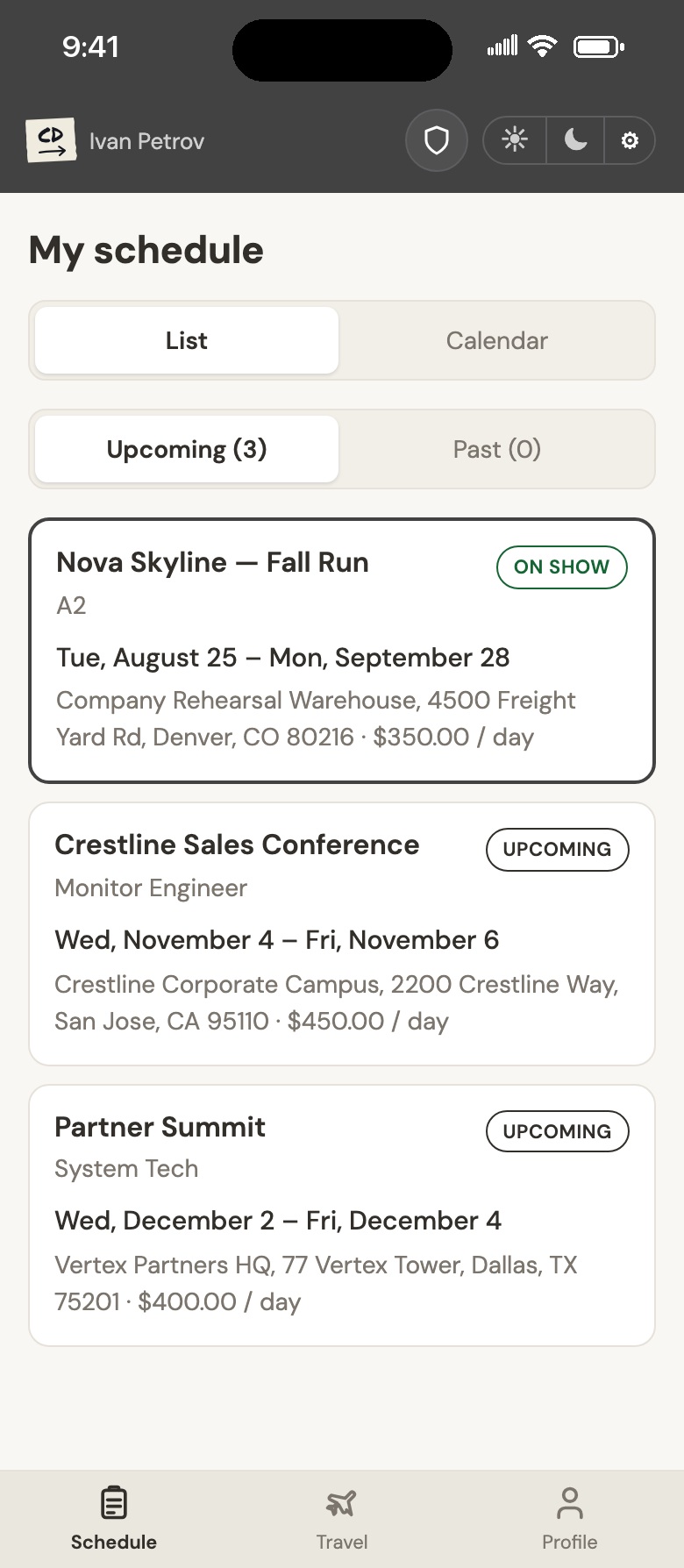
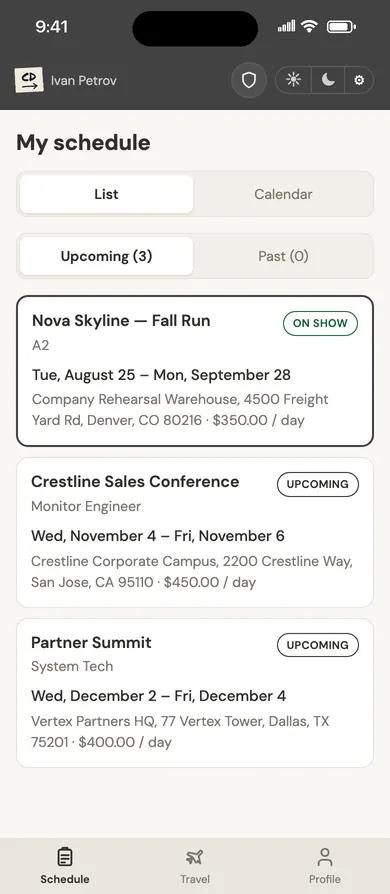
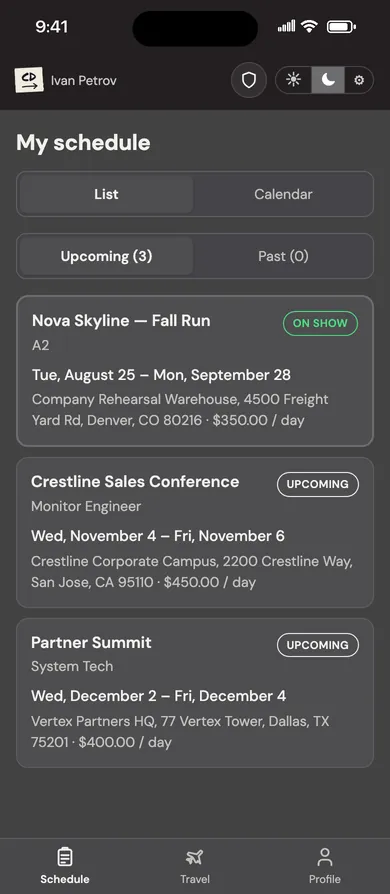
Every booking, with your role and rate on it.
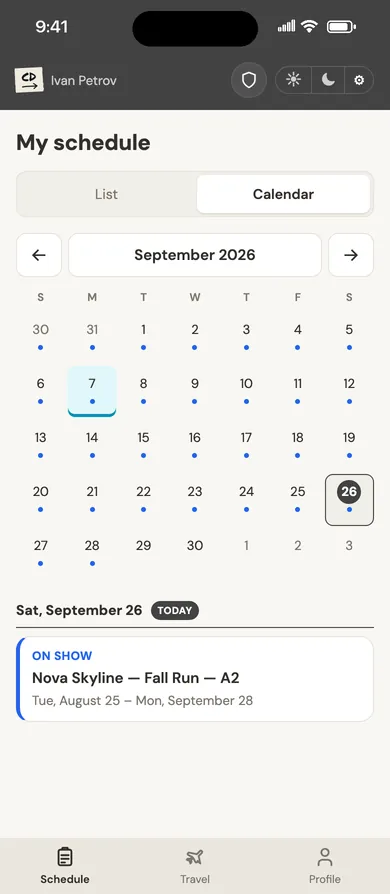
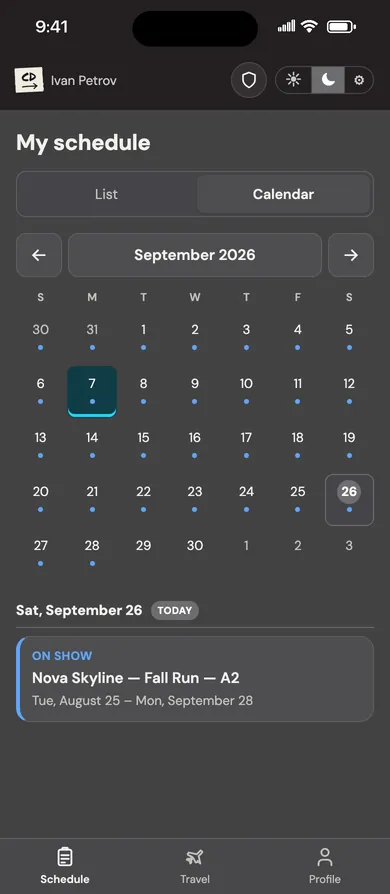
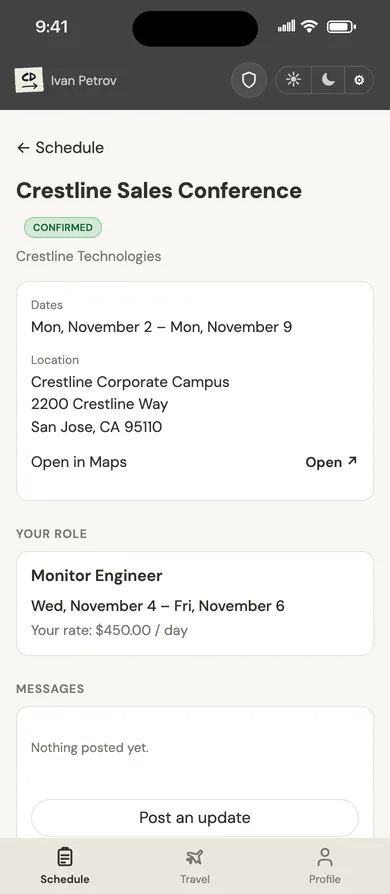
Each booking shows the show, your position, the dates you're on, the venue address and your rate, by the hour or by the day. The show you're on now is marked, upcoming work is listed in order, and past gigs stay in their own tab.
- Subscribe to your schedule from Apple Calendar, Google Calendar or Outlook.
- Switch between a list and a month calendar.
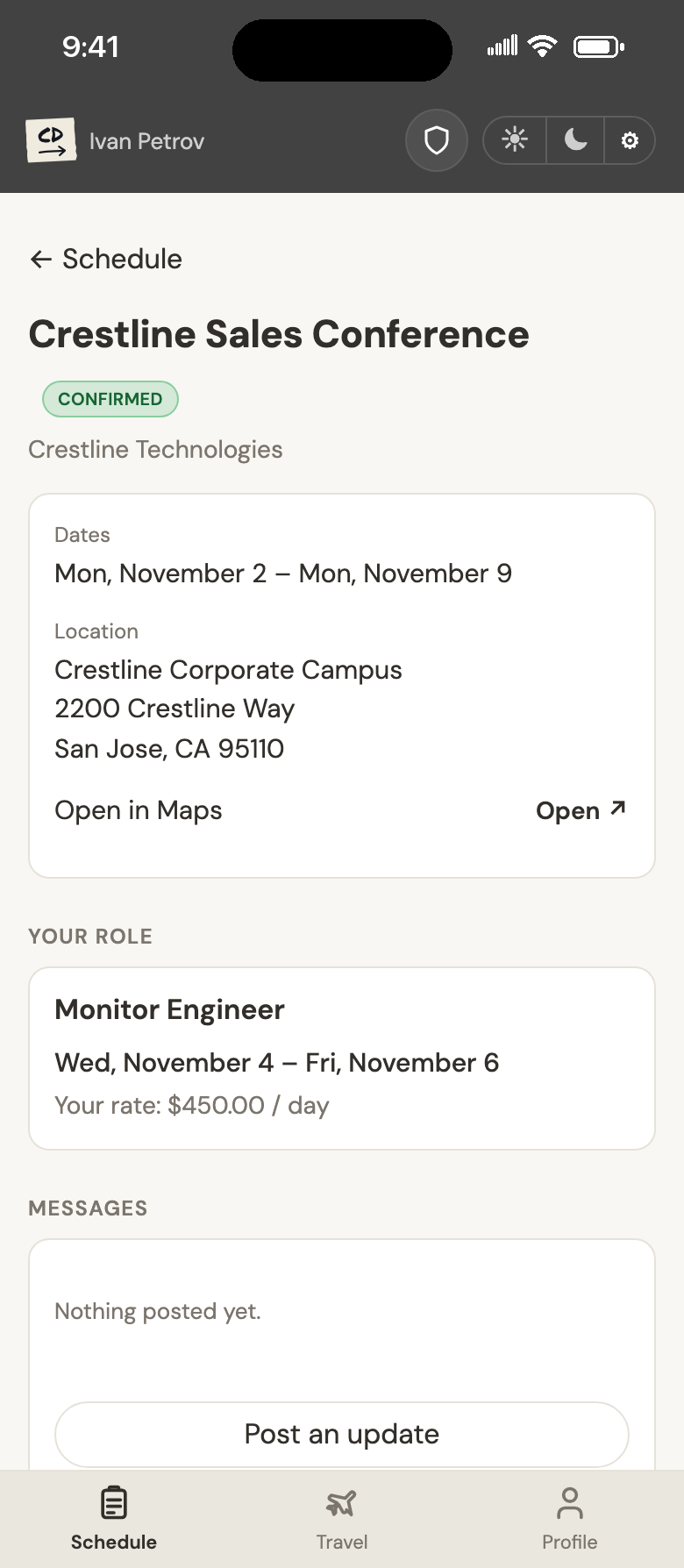
The whole gig on one screen.
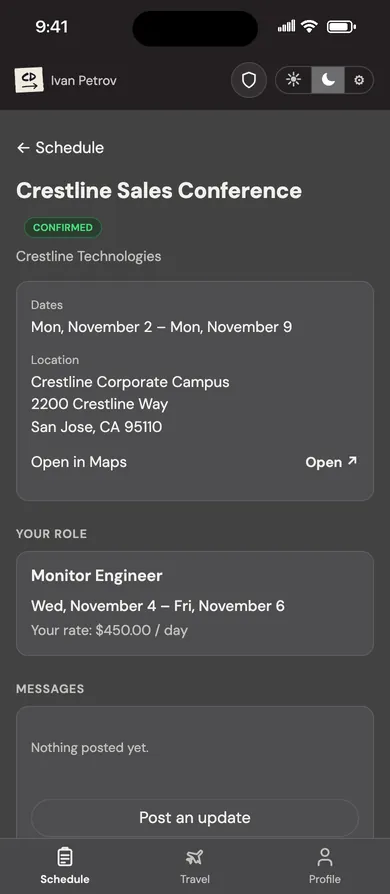
Tap a booking to see the show's dates and address, your role, the days you're on and your rate. When the office books your travel, it's linked right there. Each show also has its own message thread, so updates about it stay in one place.
- Open the venue in Maps with one tap.
- Post an update to the show's message thread from your phone.

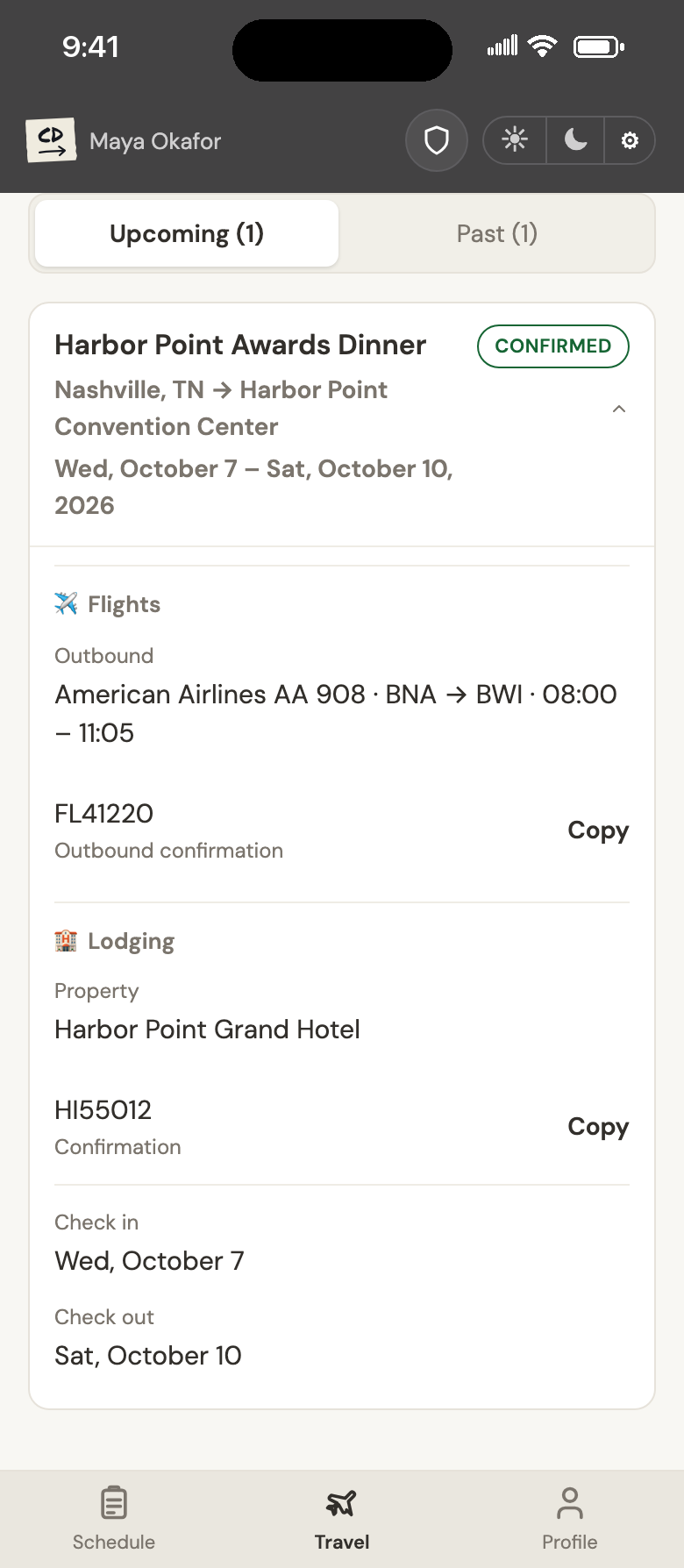
Flights and hotels, with the confirmation numbers.
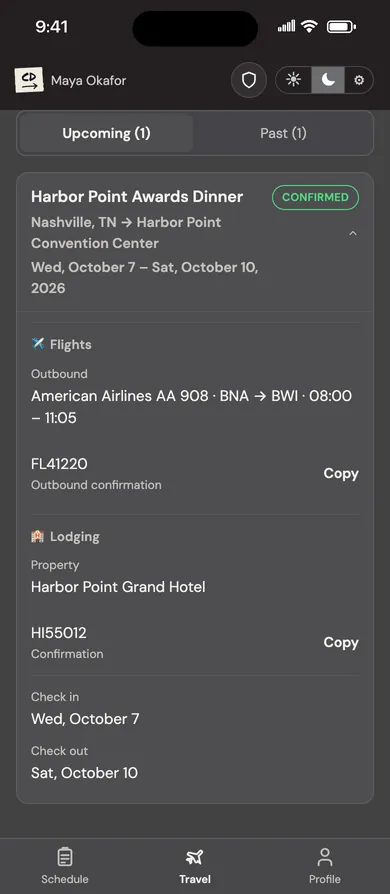
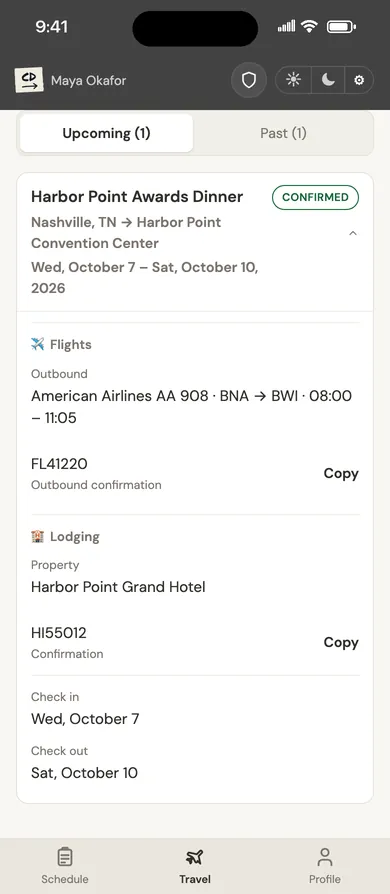
When the office books your travel, it shows up under the show it's for: flight numbers and times, the hotel, check-in and check-out dates, and confirmation numbers you can copy with one tap at the counter.

Tell them once. They book from it every time.
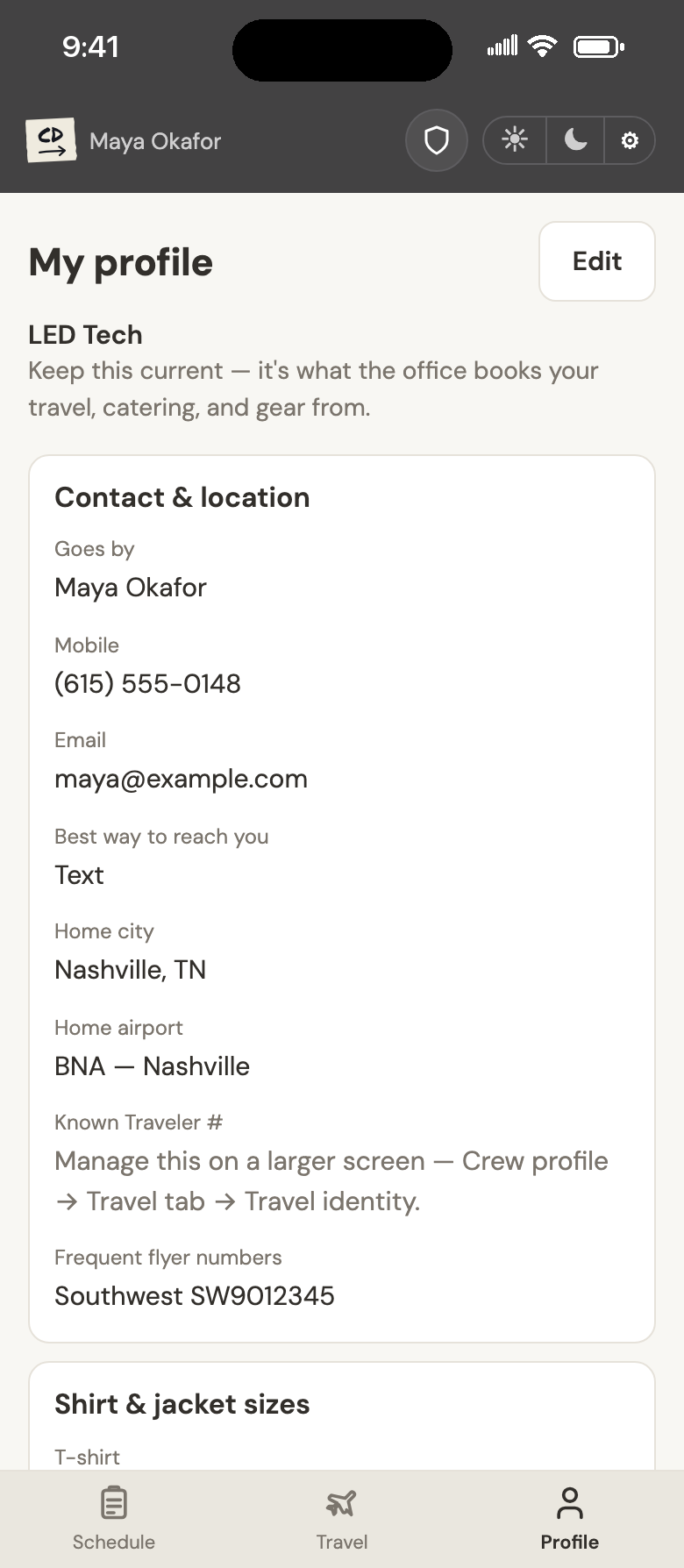
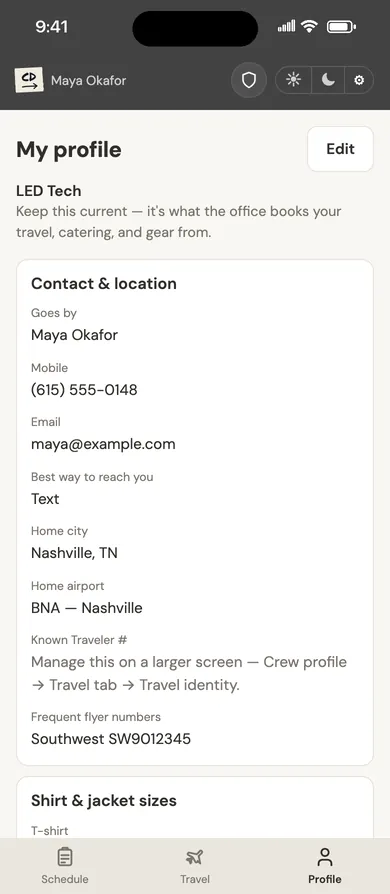
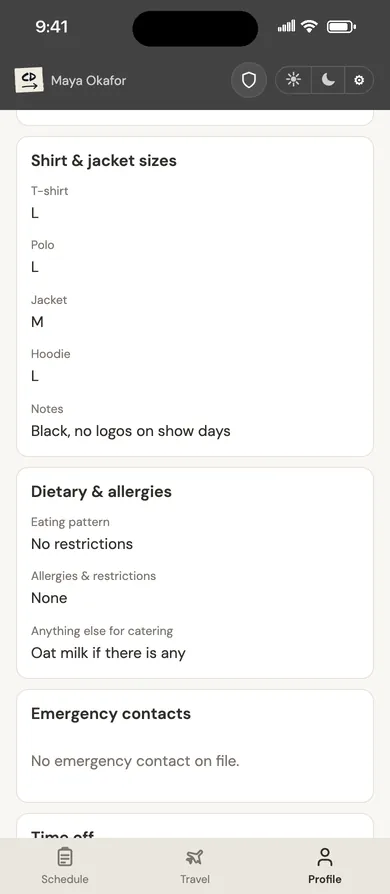
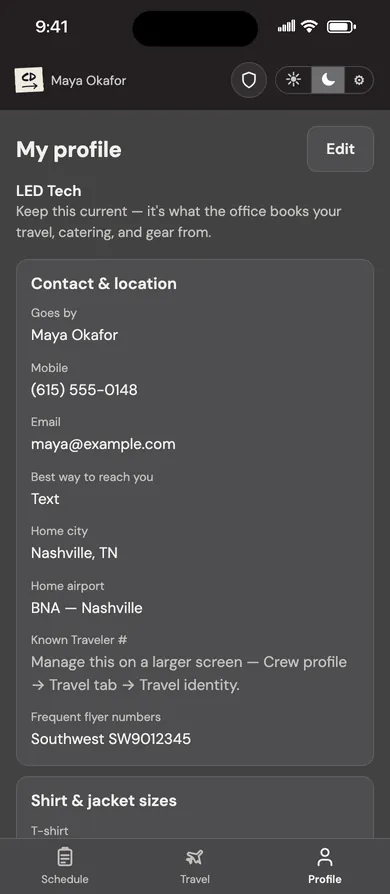
Your contact details, home airport, frequent flyer numbers, shirt and jacket sizes, dietary needs and emergency contacts live in one profile you keep up to date. The office uses it for your travel, catering and gear, so you stop answering the same questions for every show.
- Tap Edit to update any section from your phone.
- Your date of birth and Known Traveler Number are only shown after a second sign-in step.
Your whole week, in your pocket.
Made for load-ins, airports and 2 a.m. strikes.
Subscribe once
Subscribe to your schedule from your calendar app, and new bookings show up next to the rest of your life.
Rate on every booking
Your rate is on the booking itself, such as $450.00 / day, so you know what you took before you're on site.
One-tap confirmations
Copy a flight or hotel confirmation number straight from the trip card when you get to the desk.
A thread for every show
Each show has its own message thread, so updates from the office stay with the show they're about.
Straight to the venue
Every show's address opens in Maps with one tap, whether it's a hotel ballroom or a corporate campus.
Light or dark
A dark theme that won't wreck your eyes at FOH, and a light one for daylight. Switch any time from the header.
The production company's side of the same schedule.
What you see on your phone comes from the same system the office uses to plan the show, fill every position and book the travel. When they change something, you see the change.
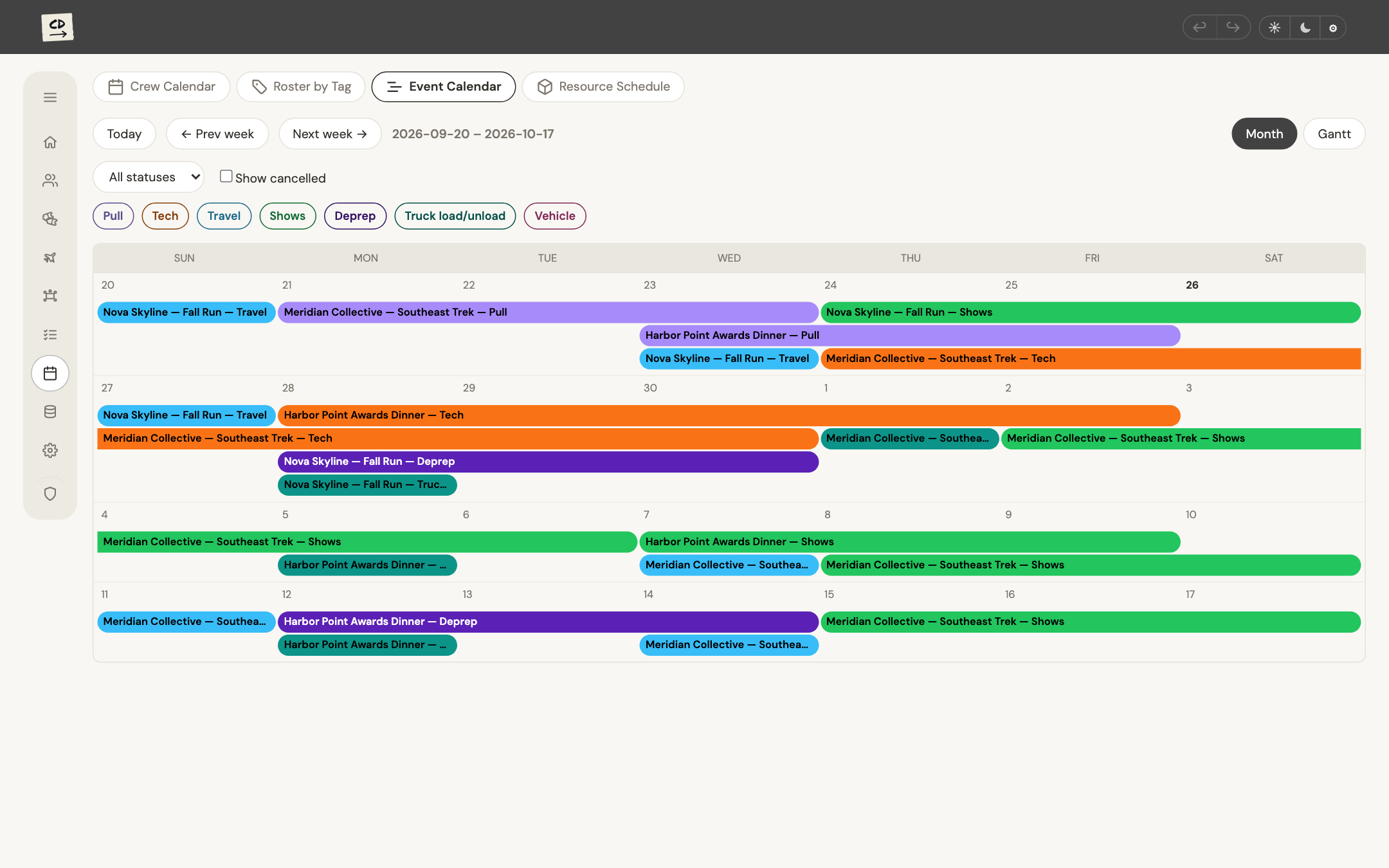
Every show on one calendar
A month of shows laid out as bars for each phase: pull, tech, travel, show days and deprep. The office sees what is coming and when each show needs crew, before anyone books it.
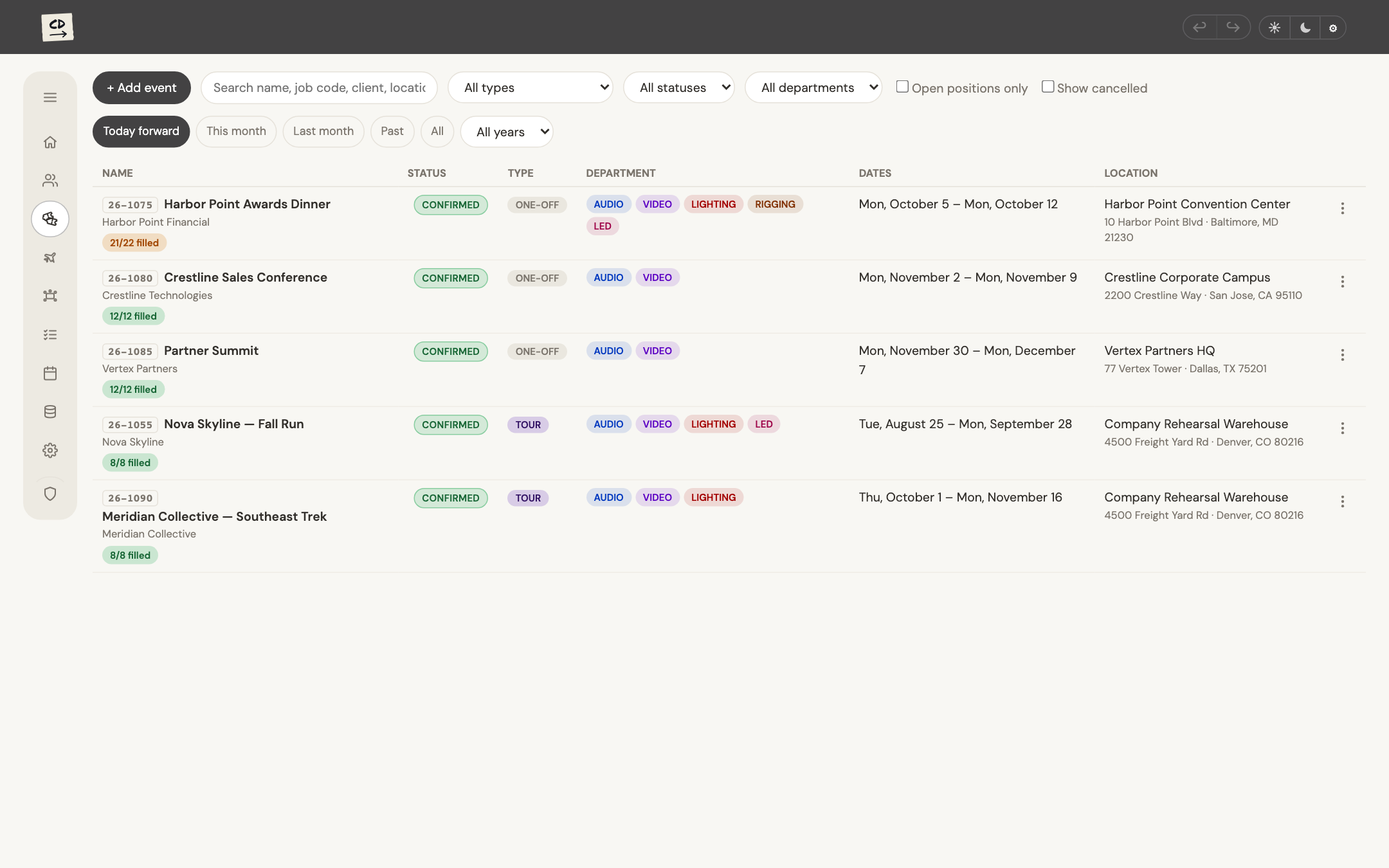
One record per show
Every show in one list with its client, status, departments, dates and venue, plus how many positions are filled. Your booking, travel and messages all hang off the show's record.
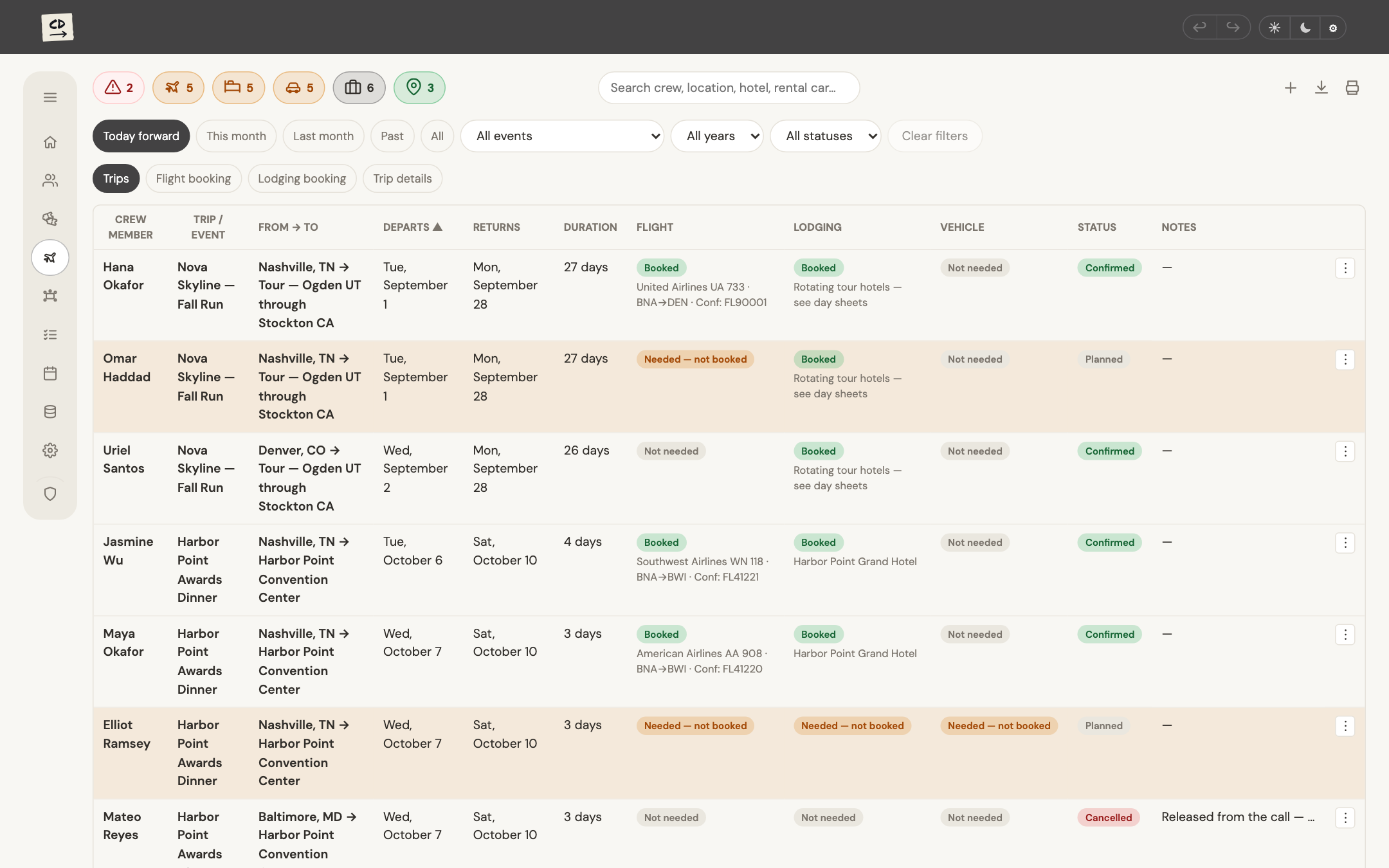
Travel booked in one place
Every trip for every show, with flights, lodging and vehicles side by side and anything not yet booked flagged. Once a trip is booked, it shows up on your phone under the show it's for.
Built to hold personal details carefully.
A crew profile holds things you wouldn't post in a group chat. Crews Director is set up so the right people see them, and nobody else does.
Each company runs its own
Every production company has its own separate Crews Director. What you give one company isn't shared with another.
Identity details take a second step
Your date of birth and Known Traveler Number are only shown after a second-factor sign-in step, so a stolen password alone won't reveal them.
You see your own pay
Your rates show on your own bookings. Crew lists on a show carry names, positions and contact details, and no pay.
Changes are recorded
Edits to records are logged, so the office can see what changed and when.
Got an invite and not sure what this is?

Why did I get an invite?
A production company you work with, or are about to, uses Crews Director to schedule its shows. They added you so your bookings, travel and show details can reach you directly.
Does it cost me anything?
No. Crews Director is free for crew.
What do I need to sign in?
Your email address and a password you set. Some details, like your date of birth and Known Traveler Number, also ask for a code from an authenticator app before they appear.
Does it work on my phone?
Yes. Crews Director opens in your phone's browser with a layout built for it: your schedule, your travel and your profile, one tap apart. There's nothing to install.
Can I put my gigs in my own calendar?
Yes. Subscribe to your schedule from Apple Calendar, Google Calendar or Outlook, and your bookings appear alongside everything else.
Who can see my profile?
You, and the people at your production company whose job needs it, such as whoever books your travel. Staff working the same show can see your name, position and contact details. They don't see your pay or identity details.
See you at load-in.
Watch for the invite from your production company. Once you're in, fill in your profile first. It's what they book your travel from.
